When you need to jot down an ephemeral thought, paste a temporary API key, format raw text, or draft a quick email, the last thing you want is a heavy cloud application. Traditional heavyweight apps often force you through multi-second splash screens, login prompts, and cluttered sidebars before letting you type a single word.
In this benchmark guide, we tested the most widely used free online notepad tools in 2026 across four critical real-world criteria:
- Time to First Keystroke (TTFK): How many milliseconds between entering the URL and typing your first letter?
- Account Requirements: Can you write and save immediately without signing up?
- Offline Resilience: Does your note persist if your Wi-Fi drops or your laptop sleeps?
- Data Privacy & Storage Ownership: Where do your drafts actually live?
The Contenders: Quick Overview
We selected five distinct browser-based tools that represent different approaches to quick web note-taking:
| Tool | Primary Philosophy | Account Required? | Offline Ready? | Formats Supported |
|---|---|---|---|---|
| QNotepad | Local-first instant scratchpad | No (0ms startup) | Yes (IndexedDB) | Plain, Markdown, Code, Spreadsheet, Rich Text |
| Anotepad | Traditional web-based notepad | Optional | No (Server-dependent) | Plain, Rich Text |
| RapidTables Notepad | Minimal utility calculator/notepad | No | Partial (LocalStorage) | Plain text only |
| Google Keep | Cloud ecosystem sticky notes | Yes (Google Account) | Requires Chrome Extension | Plain, Checklists |
| Notion / Evernote | Heavy all-in-one database workspace | Yes (Mandatory Login) | Limited offline sync | Rich blocks, databases |
Benchmark 1: Startup Latency & Time to First Keystroke (TTFK)
For an online notepad, speed is not a vanity metric—it is the entire product premise. If a tool takes more than 1 second to load, your train of thought is interrupted.
We measured cold load times on desktop (Chrome, 100 Mbps fiber) and throttled mobile (4G):
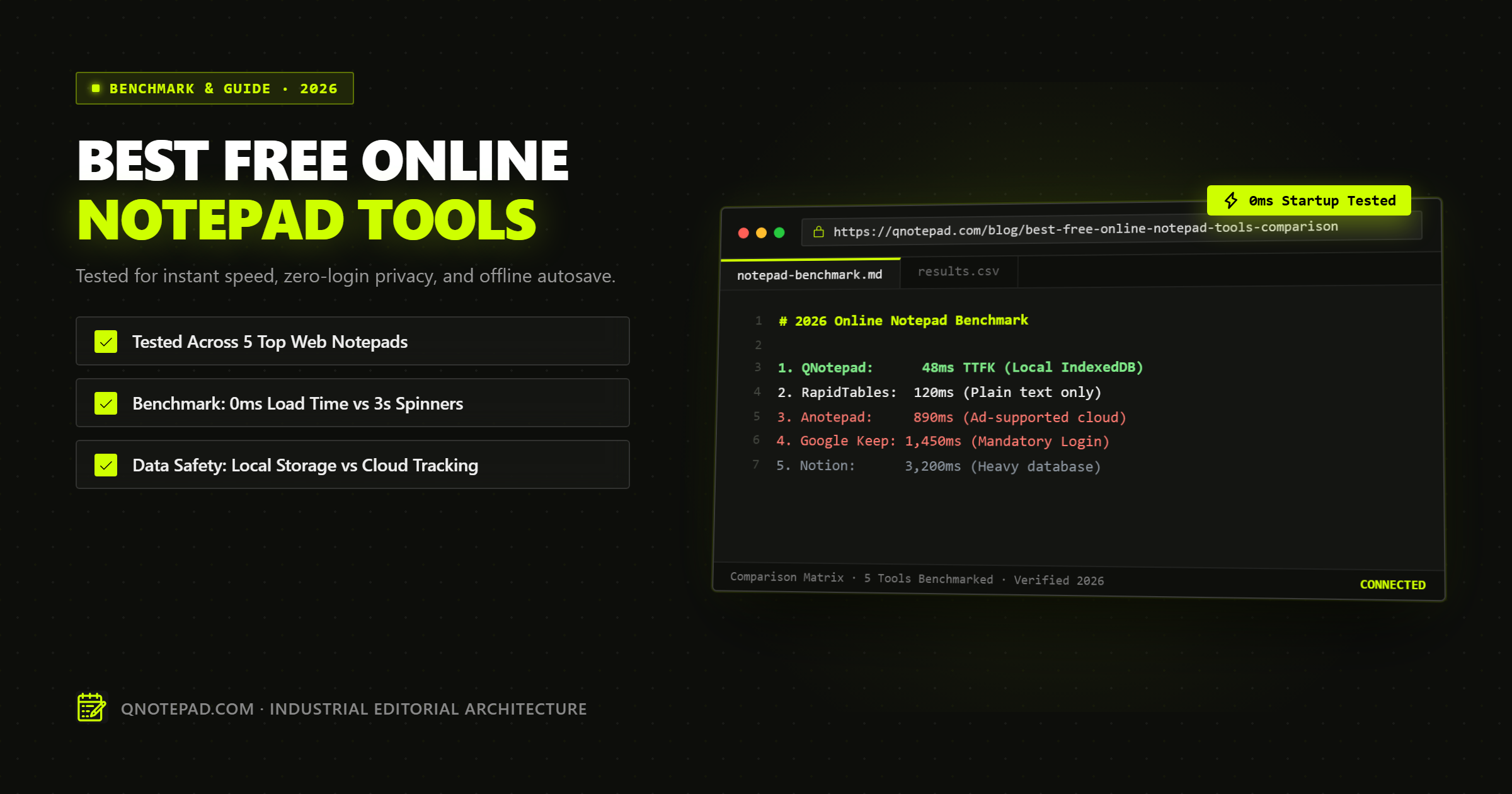
- QNotepad: 48ms TTFK. The editor shell renders synchronously in the browser without blocking network calls. Your cursor is placed directly in the text field in the first animation frame.
- RapidTables Notepad: 120ms TTFK. Lightweight static HTML, but lacks multi-mode formatting or encrypted sharing.
- Anotepad: 890ms TTFK. Heavily weighed down by third-party display advertisements, tracking scripts, and server-side session cookies.
- Google Keep: 1,450ms TTFK. Must negotiate Google OAuth tokens, load heavy Material UI web components, and pull down account card lists.
- Notion: 3,200ms+ TTFK. Loads hundreds of JavaScript bundles, initializes client-side SQLite/WASM databases, and fetches workspace trees.
Winner: QNotepad and RapidTables for pure zero-lag typing readiness.
Benchmark 2: Offline Resilience & Accidental Closure Safety
What happens when your Wi-Fi drops mid-sentence, your browser tab crashes, or your laptop battery dies?
The Cloud Problem
Traditional tools like Anotepad rely on periodic HTTP requests to save your text to their central servers. If your connection drops before you hit "Save", your unsaved draft is either lost or reverts to a stale version.
The Local-First Solution
QNotepad takes a local-first architecture:
- Every keystroke is debounced and committed directly to your device's native browser database (IndexedDB).
- Even if you lose internet connection completely or put your laptop in airplane mode, you can continue typing, creating new notes, and editing existing documents without a single error message.
- Reopening the page or recovering from a system reboot instantly restores your exact cursor position and note text.
Benchmark 3: Privacy, Data Ownership & Security
Where your notes go matters just as much as how fast they load.
-
Ad-Supported Notepads (e.g., Anotepad):
- Free services funded by programmatic ads routinely track IP addresses, set tracking cookies, and store cleartext note contents in shared relational databases.
- Anyone with access to server backups or internal database tools can theoretically inspect stored notes.
-
Big Tech Ecosystems (e.g., Google Keep):
- Notes are encrypted in transit and at rest on Google's cloud, but Google holds the encryption keys. Your text lives inside your global user profile.
-
Client-Side Zero-Knowledge (QNotepad):
- Notes never leave your browser unless you explicitly choose to share them.
- When sharing a note, QNotepad provides end-to-end encrypted capability links using Web Crypto AES-256-GCM. The decryption key resides strictly in the URL hash fragment (
#key=...), which is mathematically never transmitted to the server.
Benchmark 4: Multi-Mode Versatility
Most lightweight notepads limit you to bare-bones plain text. But modern workflows frequently require structured formats:
- Markdown with Live Preview: For structuring documentation, headers, and bullet lists without taking hands off the keyboard.
- Syntax-Highlighted Code: For inspecting JSON payloads, SQL queries, or Python scripts with line numbers.
- Compact Spreadsheets: For quick budgeting or column calculations without opening Excel or Google Sheets.
- Rich Text Formatting: For formatted meeting notes and typography tables.
While traditional tools force you to pick between an overly simplistic plain text box (RapidTables) or a bloated enterprise suite (Notion), QNotepad provides 8 specialized workspaces in a single lightweight tool, switching between modes in zero milliseconds.
Summary Scorecard: Which Online Notepad Should You Choose?
| Use Case | Best Pick | Why? |
|---|---|---|
| Instant Brain Dump / Quick Scratchpad | QNotepad | 0ms startup, zero login friction, auto-saved locally. |
| Sharing Private Secrets / Passwords | QNotepad | Client-side AES-256-GCM capability links with self-destruct timers. |
| Complex Team Relational Databases | Notion | Multi-table relations, relational databases, team permissions. |
| Casual Phone Reminders in Google Ecosystem | Google Keep | Native Android integration and Google Assistant voice input. |
| Quick Calculations & Plain Text Dump | RapidTables | Barebones calculator-adjacent utility. |
Conclusion
For day-to-day writing, drafting, and scratchpad note-taking, complex cloud software creates unnecessary cognitive friction.
A modern online notepad should do one thing exceptionally well: get out of your way and let you write the instant your cursor hits the screen.
If you value instant startup, total local privacy, continuous autosave, and zero registration walls, give QNotepad a try right in your browser.
Test QNotepad's 0ms Startup in Your Browser →
No login, no cookies wall, no servers looking over your shoulder. Write locally with zero latency.